Convert Video to Cartoon
Transform your videos into vibrant cartoons with our Convert Video to Cartoon technology. Our advanced AI tool efficiently converts videos to cartoon styles while preserving original motion and expressions.
Tap to upload or drag your video here
- 1. Use a single continuous shot (split multi-shot videos and convert separately).
2. Include only one person, large and clear in frame.

Anime
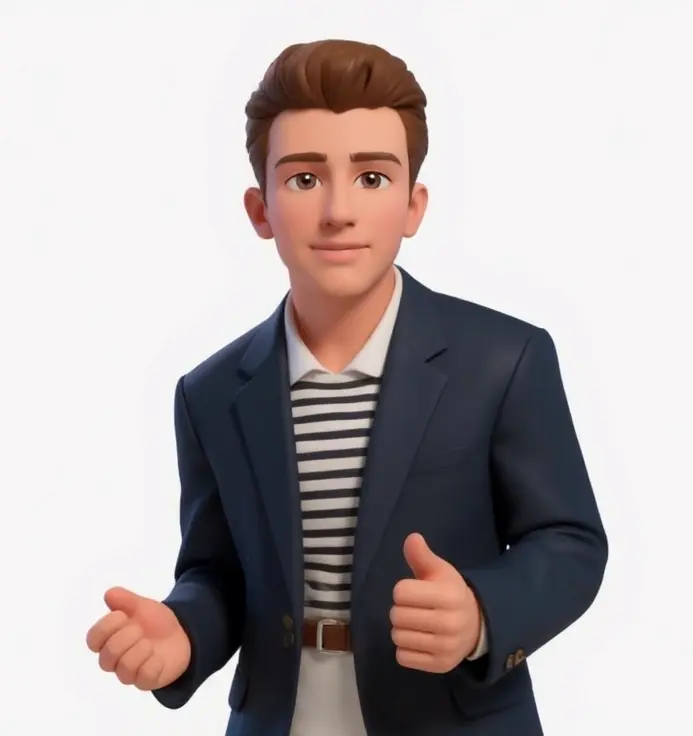
iOS Emoji

The Simpsons

Cartoon
Generated Styled Videos
Convert Video to Cartoon Examples
Explore the transformation of videos into stunning cartoon artworks using our Convert Video to Cartoon tool, designed to maintain motion fidelity while applying artistic styles.
Original Video
Cartoon Style
Style Transfer | Transfer original video to cartoon style
Original Video
Cartoon Style
Style Transfer | Transfer original video to cartoon style
Original Video
Cartoon Style
Style Transfer | Transfer original video to cartoon style
Original Video
Cartoon Style
Style Transfer | Transfer original video to cartoon style
Why Use Convert Video to Cartoon
Our Convert Video to Cartoon tool offers unique features for creating engaging cartoon animations while maintaining seamless motion and a variety of style options.
Motion Preservation
Convert Video to Cartoon ensures every detail of your original video's motion and expressions are preserved while applying cartoon styles for a consistent and captivating transformation.
Diverse Cartoon Style Options
Choose from a wide range of cartoon styles, or utilize custom styles crafted with text prompts or reference images to add a unique flair to your videos.
High-Quality Cartoon Outputs
Generate high-definition cartoon animations with smooth transitions and no quality loss, ensuring a professional look with our advanced transformation technology.
Transparent Pricing Model
Enjoy clear pricing for each conversion and style application through our Convert Video to Cartoon tool, allowing you to budget effectively while exploring creative options.
Simple Two-Step Workflow
Follow an intuitive and straightforward process: upload your video, apply the cartoon style to a reference frame, and generate your cartoon video seamlessly.
Automatic Format Optimization
Convert Video to Cartoon automatically optimizes your video, supporting multiple formats (MP4, MOV, AVI) for hassle-free processing and duration-based cost calculations.
What is Convert Video to Cartoon?
Convert Video to Cartoon is an AI-driven tool that effortlessly transforms standard videos into cartoon-style animations. Utilizing advanced technology, our tool applies your desired cartoon style to a reference frame first before transforming the entire video, all while maintaining original motion and timing. Choose from a variety of cartoon aesthetics for a fun and engaging visual experience.
How to Use Convert Video to Cartoon
Upload Your Video
Easily upload any video file (MP4, MOV, AVI) up to 15 seconds and 50MB for processing through Convert Video to Cartoon. Lengthy videos will be automatically trimmed for optimal cartoon transformation.
Select Cartoon Style
In the Style Selection section, go to the Style Transfer category and choose cartoon style. You can also explore other options like Pixar, comic, or create custom styles using text prompts and reference images.
Cartoon Style Preview & Reference
We extract the first frame and apply your chosen cartoon style to create a styled reference. This preview shows how your selected cartoon style will be applied to the entire video.
Generate Cartoon Video
Let our Convert Video to Cartoon tool apply the styled reference frame to your entire video, preserving all original facial expressions, motion, and timing for a flawless cartoon result.
Convert Video to Cartoon FAQ
Addressing common questions about our Convert Video to Cartoon tool and its features, process, pricing, and optimal practices.
Our Convert Video to Cartoon tool operates through a simple two-step process: 1) We apply your selected cartoon style to the first frame to create a reference, 2) The entire video is transformed using this reference while retaining original motion and timing for fluid results.
We accept MP4, MOV, and AVI formats up to 50MB for processing via Convert Video to Cartoon. Videos over 15 seconds are trimmed to fit the ideal conversion parameters.
The conversion process typically takes between 5-10 minutes: Cartoon style application (1-3 minutes) followed by video generation (3-7 minutes). You can track the progress of your transformation in real time.
Our pricing is based on duration for cartoon style applications and video generation. You can view the estimated costs in real-time before you start the conversion process, with credits deducted only upon successful completion.
Absolutely! You can select from various standard cartoon styles or specify your custom styles through text prompts and reference images for personalized transformations.
For optimal results, use videos that feature clear subjects and good lighting, avoiding rapid movements and unclear backgrounds. Videos under 5 seconds with defined features yield the best transformation results.