Wan Animate
Animate characters and replace video subjects with Wan Animate. Advanced character motion transfer, environmental integration, and seamless character animation in seconds.
Tap to upload or drag your video here
- 1. Use a single continuous shot (split multi-shot videos and convert separately).
2. Include only one person, large and clear in frame.

Anime
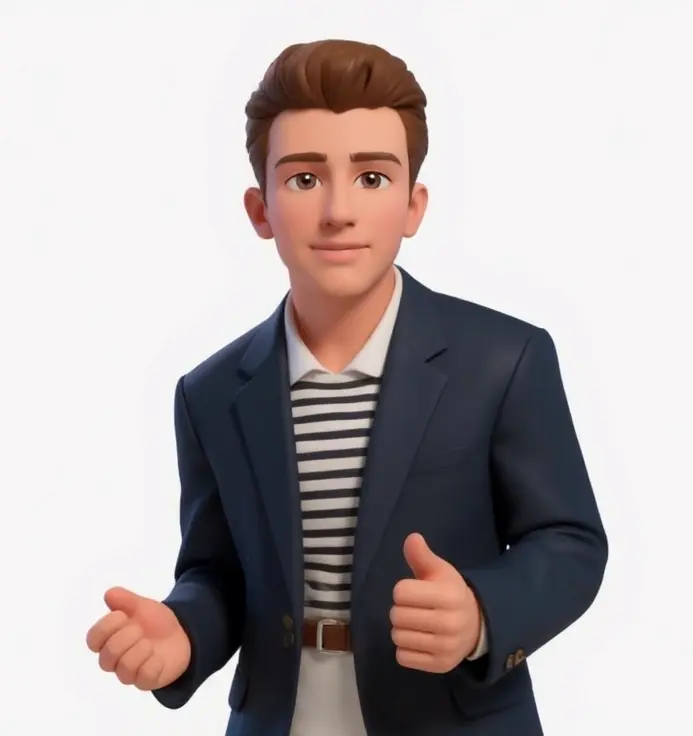
iOS Emoji

The Simpsons
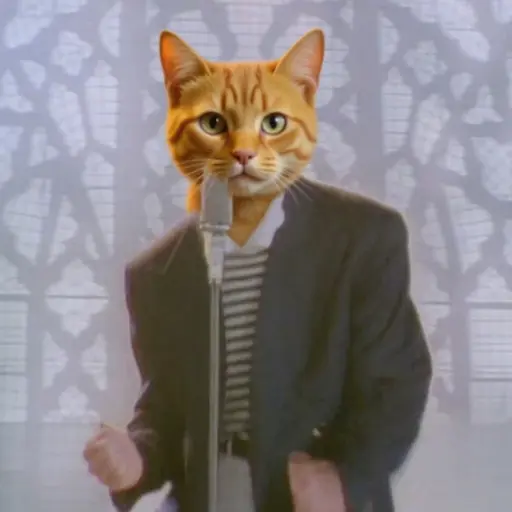
Orange Cat
Generated Styled Videos
What is Wan Animate?
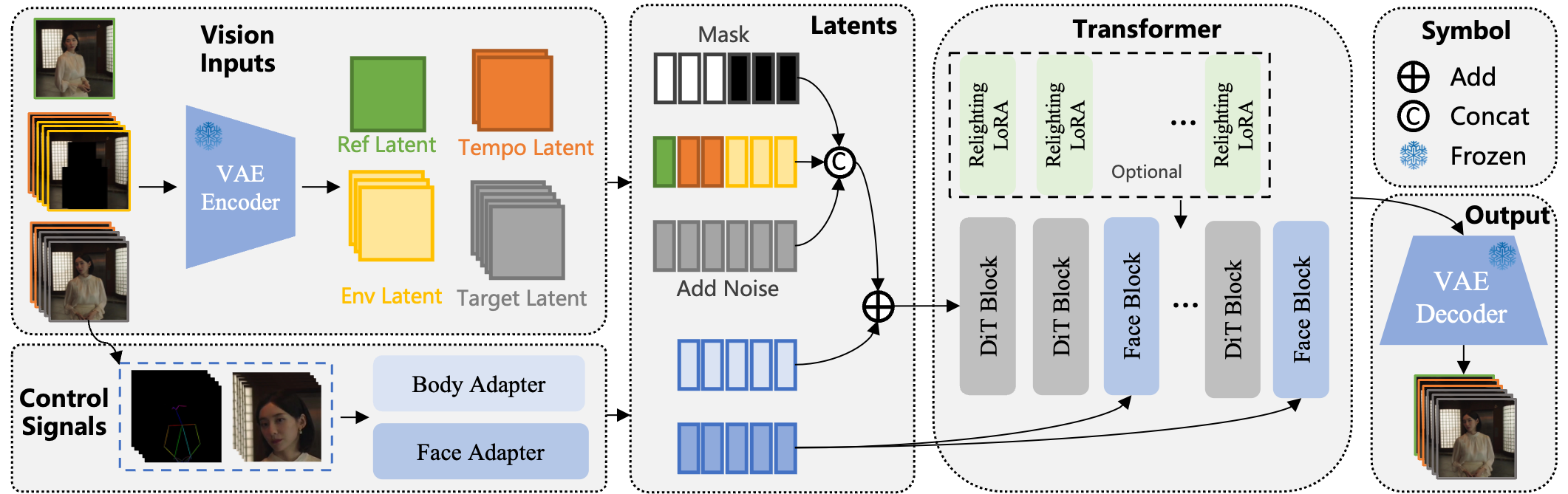
Wan Animate is an advanced character animation and replacement tool that transforms static character images into dynamic video animations. Using spatially-aligned skeleton signals and implicit facial features, Wan Animate precisely replicates expressions and movements from reference videos to generate high-fidelity character animations. This powerful character animator can either animate characters standalone or seamlessly replace existing characters in videos while maintaining environmental lighting and color tone integration. Built on cutting-edge motion transfer technology, Wan Animate enables effortless character motion capture and realistic character animation synthesis with professional-grade results.
Method
Wan Animate Examples
Discover how Wan Animate transforms character animation with motion transfer technology, creating seamless character replacements and dynamic animations from static images.
Expressive Human Animation
Generalizable Arbitrary Character Animation
Dynamic Motion and Camera
Consistent Lighting and Color Tone Replication
Character Replacement with Seamless Environmental Integration
Qualitative Comparisons
How to Use Wan Animate
Upload Character Image & Reference Video
Upload your character image and reference video (MP4, MOV, AVI) up to 15 seconds and 50MB for Wan Animate processing. Videos longer than 15 seconds are automatically trimmed for optimal character animation generation.
Character Animation Reference Frame
Wan Animate extracts the first frame from your video and applies character replacement to create a reference guide for consistent character animation transfer throughout your video sequence.
Select Character Animation Mode
Choose from character animation templates, custom animation prompts, or upload reference character images. Select between standalone character animation or character replacement modes for Wan Animate processing.
Generate Character Animation Video
Wan Animate transforms your complete video using the character reference frame while preserving original motion, expressions, and timing through advanced character animation technology.
Why Use Wan Animate
Wan Animate delivers state-of-the-art character animation and replacement with motion preservation, environmental integration, and professional-grade character synthesis.
Advanced Motion Transfer Technology
Wan Animate utilizes spatially-aligned skeleton signals and implicit facial features to achieve precise character motion replication, ensuring natural movement and expression transfer.
Dual Animation Modes
Character animation mode creates standalone animated characters, while replacement mode seamlessly integrates characters into existing videos using Wan Animate's environmental adaptation.
Environmental Integration
Wan Animate features advanced Relighting LoRA technology that preserves character appearance while adapting to scene lighting and color tone for seamless video integration.
High-Fidelity Character Synthesis
Generate professional-quality character animations with precise motion capture, smooth transitions, and consistent environmental lighting using Wan Animate's advanced algorithms.
Intuitive Character Animation Workflow
Simple two-input process: upload character image and reference video. Wan Animate handles complex motion analysis, skeleton mapping, and character synthesis automatically.
Controllable Character Animation
Full control over character expressions and movements with Wan Animate's advanced motion transfer system, enabling precise character animation customization and refinement.
Frequently Asked Questions
Common questions about Wan Animate character animation and replacement features, processes, and best practices.
Wan Animate is an advanced character animation and replacement tool that transforms static character images into dynamic video animations using motion transfer technology. It precisely replicates expressions and movements from reference videos while maintaining environmental lighting integration.
Using Wan Animate is straightforward! First upload your character image and reference video, then select animation or replacement mode, and generate your character animation. The tool automatically handles motion analysis, skeleton mapping, and character synthesis for professional results.
Wan Animate uses spatially-aligned skeleton signals and implicit facial features to analyze reference videos. It extracts motion patterns and applies them to character images through advanced motion transfer technology, creating seamless character animations with environmental integration.
KomikoAI provides the best character animation tool. Our goal is to be the leading AI creation platform by delivering professional-quality results, powerful and fun customization, and an intuitive workflow—completely free to try. With KomikoAI's Wan Animate, you can create stunning character animations and replacements, making it perfect for users who are content creators, filmmakers, and digital artists.
Yes, you can test out the Wan Animate on KomikoAI for free, without having to sign up to any subscription. Try our character animation tool today!
You can use Wan Animate on KomikoAI to create character animations for social media, replace characters in videos, animate static character images, generate motion transfer effects, and produce professional character content for marketing, entertainment, and creative projects.
Yes, you can use Wan Animate as a web app on different devices, including smartphones and computers, making it convenient for everyone.
Yes, KomikoAI's Wan Animate allows you to export your generation in various formats, such as MP4, MOV, and AVI, for easy sharing and distribution.
Using Wan Animate can transform your character animation workflow with advanced motion transfer technology. Our tool allows you to create professional character animations, seamless character replacements, and dynamic motion capture effects with environmental integration and consistent lighting preservation.
Create Character Animations for FREE with Wan Animate Today!
Transform static characters into dynamic animations and replace video subjects effortlessly with advanced motion transfer technology.